OBS Replay Companion
A minimalistic, lightweight, and powerful clipping solution for OBS Studio, designed to capture your best gaming moments without compromising performance.
Download on GitHub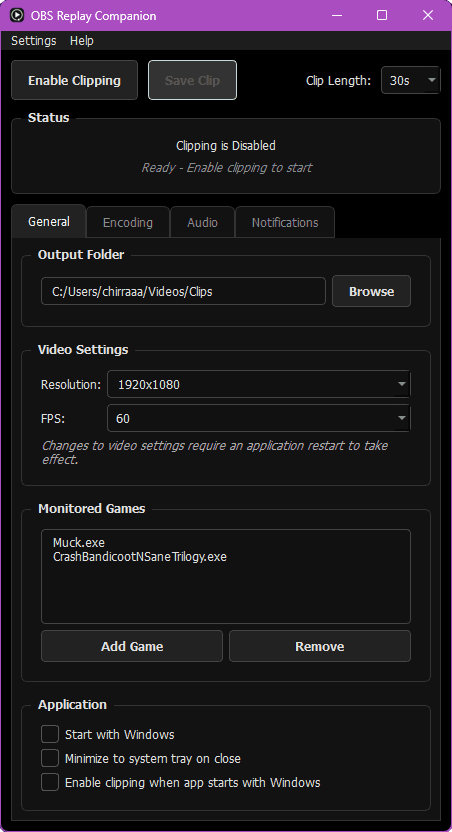
How to Get Started
1. Download and Install
- Download the latest pre-built package from the Releases page.
- Extract all files from the `.zip` and copy them directly into your main OBS Studio installation folder (default: `C:\Program Files\obs-studio\bin\64bit`).
2. Move Required Files
- Navigate to `C:\Program Files\obs-studio\obs-plugins\64bit` and create a new folder named `saved`.
- Move the following two files into the new `saved` folder:
- `frontend-tools.dll`
- `frontend-tools.pdb`
Features
Lightweight & Efficient
Built as a lean OBS plugin, it adds minimal overhead to your streams and recordings.
Customizable Hotkeys
Instantly save your last few minutes of gameplay with a simple, configurable hotkey.
Instant Clipping
Leverages OBS's buffer output to save clips asynchronously, ensuring no frame drops.
Game-Specific Folders
Automatically organizes your clips into folders based on the game you're playing.